“Can we delete this field?”
It is a simple question. Every Salesforce admin has heard it, usually on a Friday afternoon.
The honest answer is almost always “I’m not sure.” Somewhere in the org, a price rule might read that field. A flow might set it. A quote template might print it. A pricing procedure might depend on it.
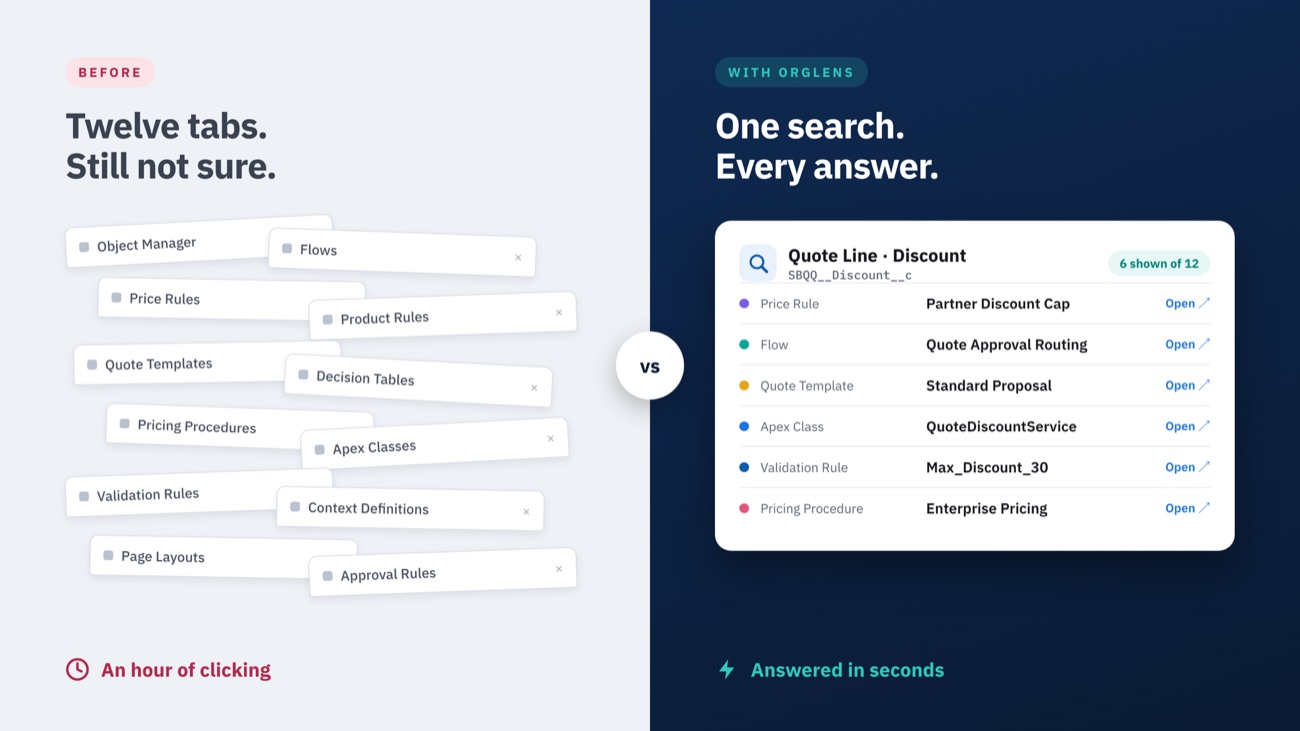
So you start clicking. Setup, Object Manager, Flows, Price Rules, Quote Templates, Decision Tables. An hour later you have twelve browser tabs open and you are still not sure.
We lived this problem on client projects for years. OrgLens is what we built so nobody has to live it again.
Why “Where is this used?” isn’t enough
Salesforce does have a “Where is this used?” button. It is useful, but it only sees part of the picture.
In a Salesforce CPQ or Revenue Cloud org, much of the real logic lives in places that button never looks:
- CPQ price rules, product rules, quote terms and the Quote Calculator Plugin
- Quote templates, which have no API at all
- Revenue Cloud context definitions, pricing procedures, decision tables and configuration rules
- Fulfillment (DRO) steps, approval rules and twin fields
These orgs grow for years, built by many hands. The knowledge of what touches what ends up in people’s heads, and people move on. Every change becomes a small gamble.
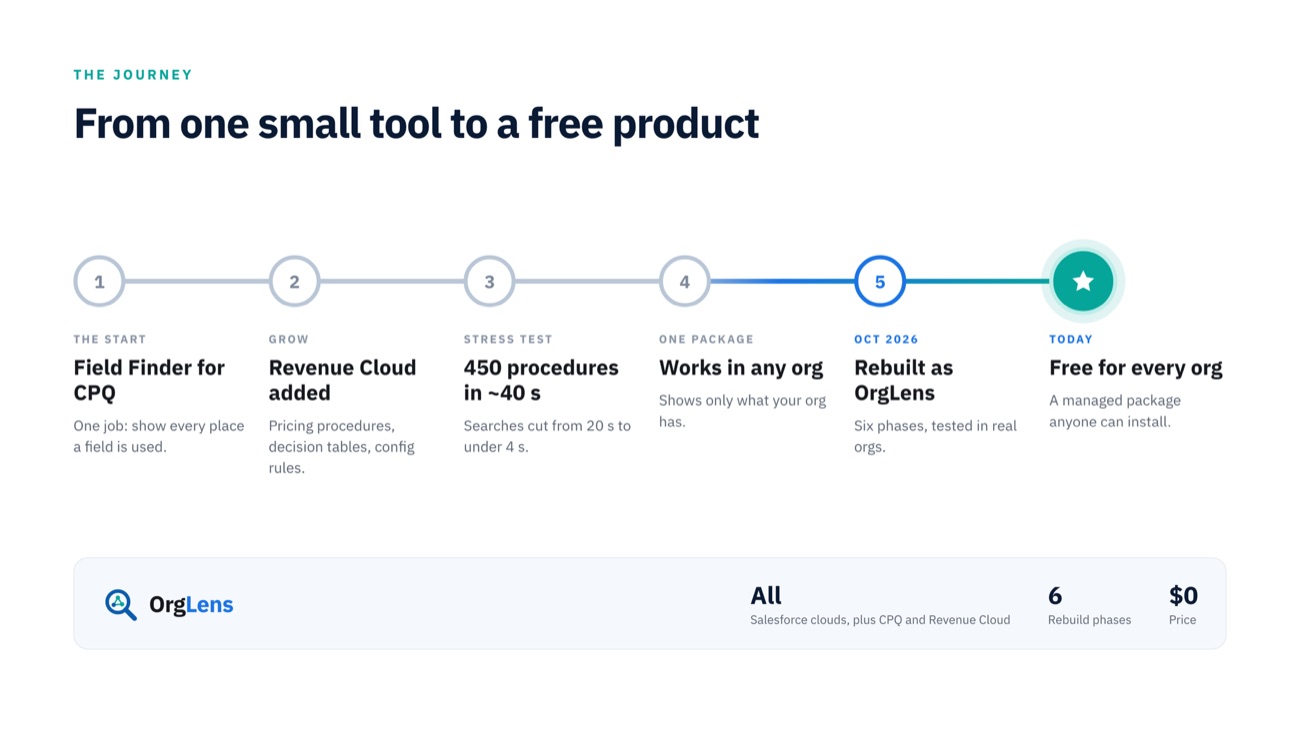
It started as one small tool: Field Finder
OrgLens did not begin as a product. It began as Field Finder, an internal tool with one job: pick an object and a field, and list everything that uses it.
We built it first for Salesforce CPQ, then for Revenue Cloud. Each new area taught us something the documentation doesn’t mention:
- Quote templates can’t be queried. There is no SOQL object and no metadata type for them. We found a way to read their layout anyway, so template fields show up in results.
- Some Revenue Cloud setup data hides from filtered queries. Context definition tables return nothing when filtered from Apex, even when the data is there. We read them whole and filter them ourselves.
- Speed needed a trick. Lightning quietly bundles calls made at the same moment and runs them one by one. One search took 20 seconds. Splitting it into parallel parts brought it down to under 4.
Then we tried to break it. We loaded a test org with 450 pricing procedures, enough to use up all its storage. Field Finder still scanned all of them in about 40 seconds, with no duplicates.
Around then we set a bigger goal: one package that works in any org. In a CPQ org it searches CPQ. In a Revenue Cloud org it searches Revenue Cloud. Everywhere else it covers standard Salesforce.
From a tool to a lens
Field Finder worked. But it looked like what it was: an internal tool. Answers were buried in a long list, and finding a field meant knowing its object first.
In October 2026 we stepped back and asked a bigger question. What if this was not one tool, but a window into the whole org? That idea got a name: OrgLens, with the tagline “See inside your org.” Field Finder became its first tool.
We rebuilt the experience in six phases, testing each one in real CPQ and Revenue Cloud orgs before moving on:
- A new app shell with light and dark themes
- A faster search, where object and field boxes behave like picklists
- Results you can read at a glance: summary tiles, a breakdown chart, a sortable table and a details panel
- Personal settings
- Search history, kept in your browser only, so nothing about your searches is stored in the org
- Favorites, with notes, for the fields you check again and again
Then came the polish. A global search box finds any field in any object (Ctrl/⌘K). Flows open straight in Flow Builder. Field mappings are drawn as a chain, so you can see where data goes.
Before calling it done, we tested every screen and button in both a CPQ org and a Revenue Cloud org, and fixed every bug we found.
What OrgLens does today
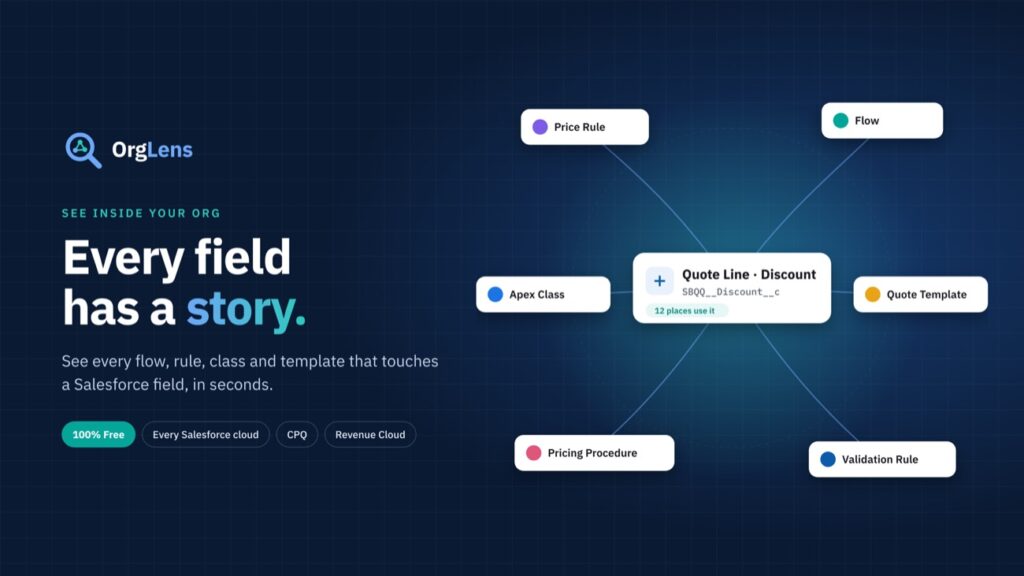
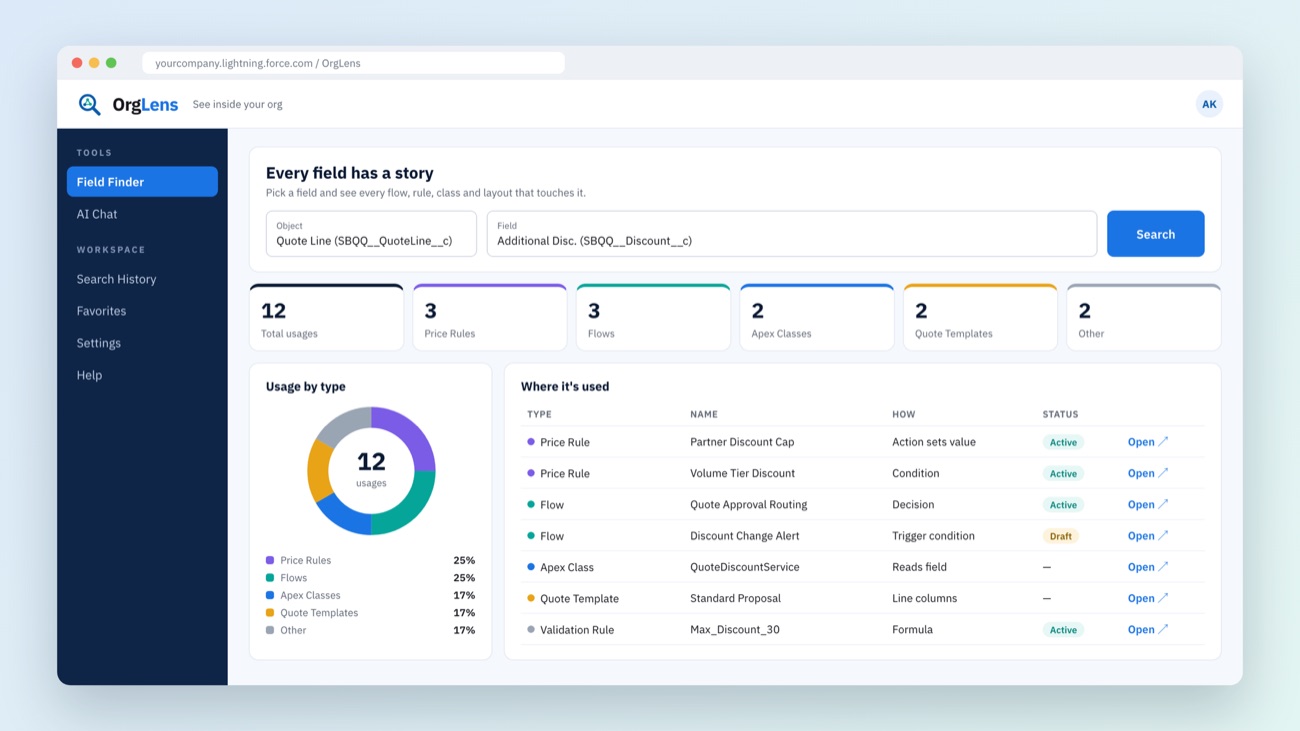
Pick a field. In seconds, OrgLens shows every flow, rule, class, layout, template and procedure that touches it, each with a link that opens it in Setup.
See OrgLens in action
▶ Watch the OrgLens video in our Video Library and see more Salesforce implementation walkthroughs from the Illustre team.
| Feature | What it gives you |
|---|---|
| Field Finder | Every place a field is used, across standard Salesforce, CPQ and Revenue Cloud |
| AI Chat | Ask in plain English, such as “Where is the quote discount used?”, and get the same results |
| Global field search | Find any field in any object without knowing where it lives |
| Favorites and history | Jump back to the fields you work with most |
| Org-aware results | CPQ features appear only in CPQ orgs, Revenue Cloud features only in Revenue Cloud orgs |
Works in every Salesforce cloud
You don’t need CPQ or Revenue Cloud to use OrgLens. Every org gets the standard search, and CPQ or Revenue Cloud orgs get extra coverage on top.
| Your org | What OrgLens searches |
|---|---|
| Any Salesforce org (Sales Cloud, Service Cloud, Experience Cloud, Platform) | Flows, Apex classes and triggers, validation rules, formula fields, page layouts and approval processes |
| Plus Salesforce CPQ | Price rules, product rules, quote templates, quote terms, the Quote Calculator Plugin, twin fields and Advanced Approvals |
| Plus Revenue Cloud | Context definitions, pricing procedures, decision tables, configuration rules, qualification procedures and fulfillment (DRO) steps |
It is built for the people who change orgs every day: admins, consultants, developers and architects. Before a change, they can see what it will touch. During a handover, they can learn an unfamiliar org in hours instead of weeks.
OrgLens is completely free. It installs as a managed package, and admins assign one permission set to give their team access.
What’s next
Field Finder is the first lens, not the last. Fields are only one part of an org’s story; objects, automations and permissions have stories too, and we plan to tell them.
So the next time someone asks “Can we delete this field?”, you won’t need twelve tabs and a guess. You’ll have an answer.
Want to see OrgLens in your org?
OrgLens is completely free. Fill in a short form and we will get OrgLens set up for your org.
Get OrgLens free for your org →
Prefer a live demo? Email us at sales@illustresoftware.com.