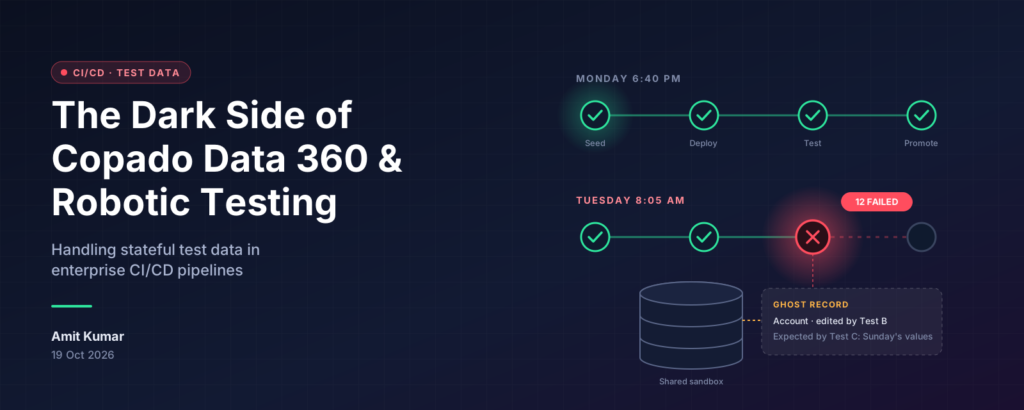
The Tuesday morning nobody forgets
Meet Priya, a release manager at a large Salesforce shop. On Monday evening her pipeline is green. Every robotic test passes, the promotion to QA goes through, and she logs off feeling good.
Tuesday, 8:05 a.m. The same pipeline is red. Twelve tests have failed, and nobody merged anything overnight. The developers swear their code is fine. The testers swear their scripts are fine. Everyone is right — and that is exactly the problem.
What changed was the data. On Monday, one test created an Account, another edited it, and a third expected it to look exactly as it did on Sunday. Nobody cleaned up, and the org quietly remembered everything.
That is stateful test data. This is Priya’s story, and it is probably yours too. Along the way, we will meet Copado’s Data 360 deployment tooling and Copado Robotic Testing, see where they can trip each other up, and walk through what you can do about it. Copado-specific claims come from Copado’s own pages, linked in the Sources section at the end. Where I am offering my own engineering advice, I will say so.
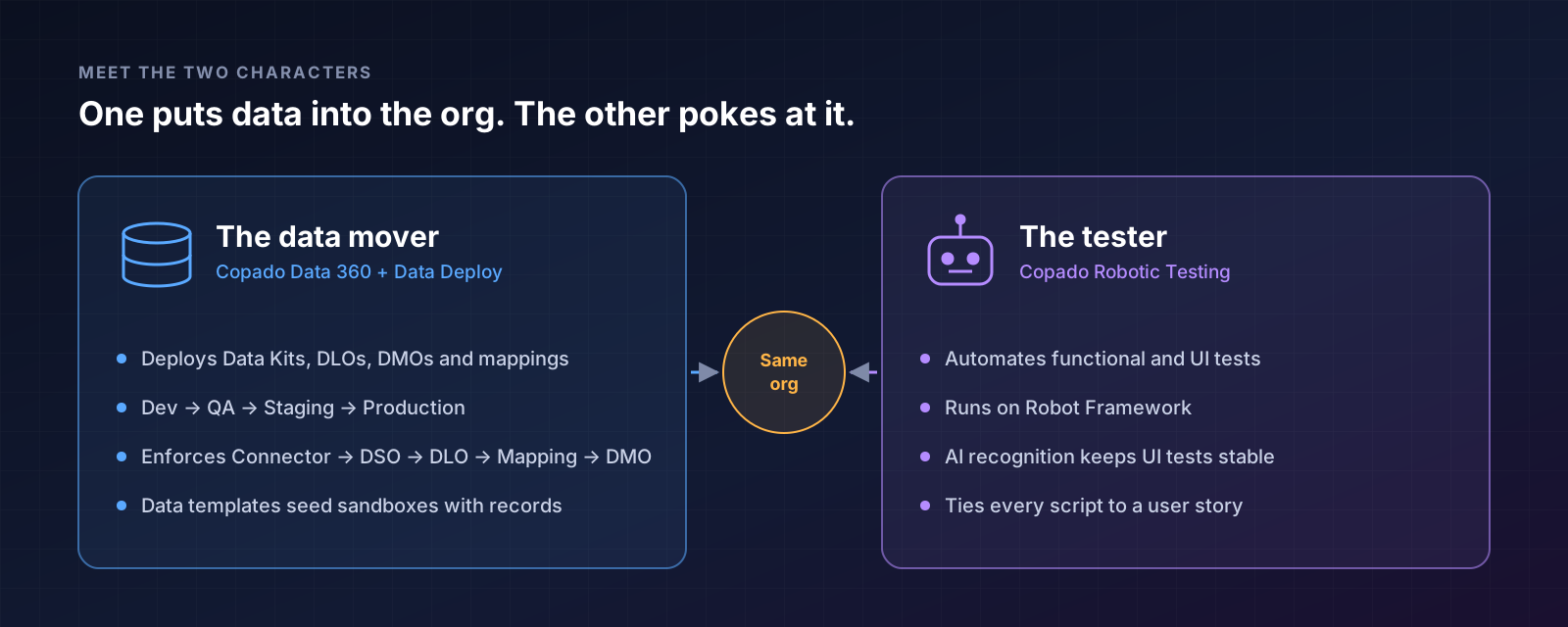
Meet the two characters in our story
Priya’s pipeline has two main players, and they do very different jobs.
1. The data mover
On its Data 360 pages, Copado argues that traditional DevOps was never built for Data Kits, DLO activation, multi-stream deployments and dependency management. Its answer is a governed pipeline that delivers Salesforce metadata and Data 360 together, covering Data Kits, DLOs, DMOs and mappings across Dev, QA, Staging and Production (Copado Data 360). One detail stands out: Copado’s deployment engine checks the target org for missing dependencies and enforces the order Connector → DSO → DLO → Mapping → DMO (Copado Data 360 engine).
For plain record data, there is a separate tool. Copado Data Deploy uses reusable data templates to move relational data between orgs and to seed sandboxes — and, as Copado points out, native Change Sets do not deploy data at all (Copado blog, Data Deploy Essentials guide).
2. The tester
Copado Robotic Testing automates functional and UI tests for Salesforce and beyond. Copado says it uses AI-driven recognition to keep UI tests stable through minor Salesforce updates, and it ties every test script back to a user story (Copado for Salesforce developers).
So one character puts data into the org, and the other pokes at it. Hold that thought.
How a clean org slowly gets dirty
Here is what happened to Priya, one night at a time. (This is a typical pattern, offered as an illustration rather than taken from Copado’s docs.)
- Night 1. The data is seeded. Test A creates a record and checks it. Pass.
- Night 2. The record from Night 1 is still there. Test B edits it. Pass — but the record has now changed.
- Night 3. Test C expects the original values. Fail — and nothing in the code explains why.
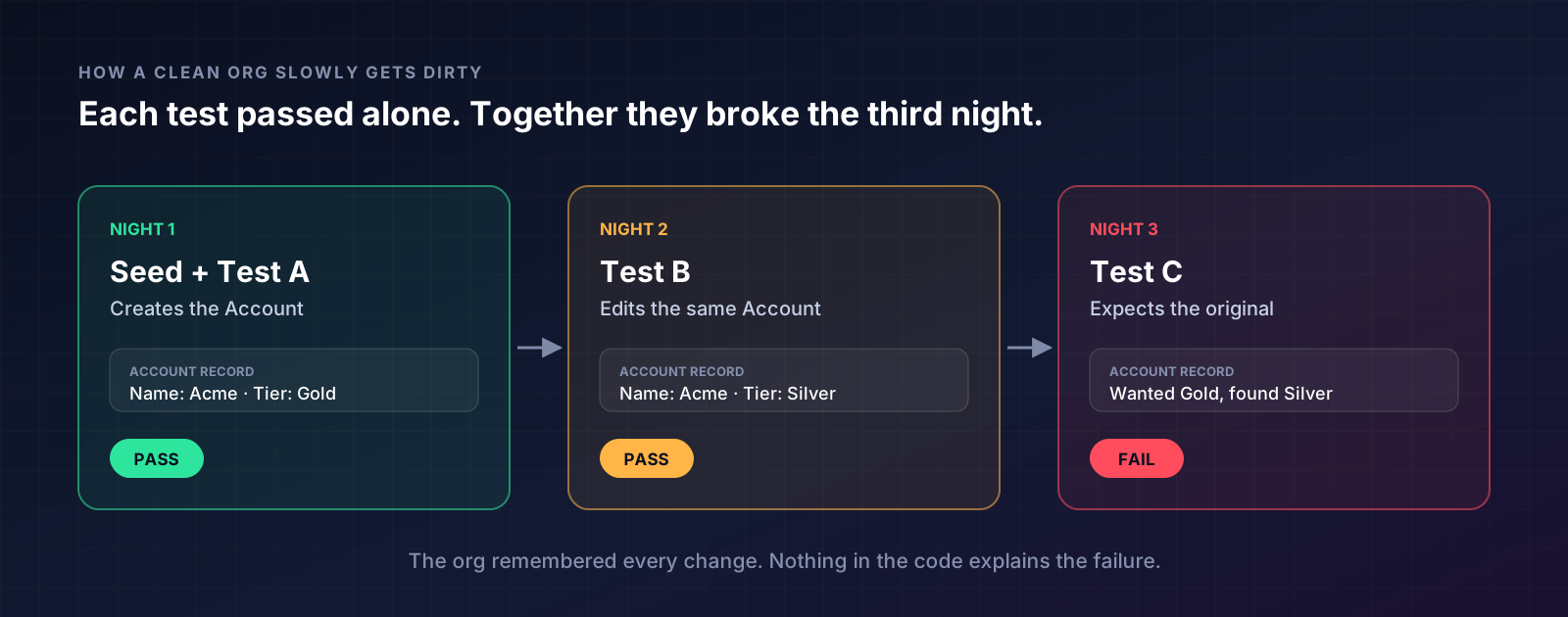
The tests were not wrong. They simply assumed a world that no longer existed. A test that depends on what a previous run left behind is stateful, and stateful tests turn a deterministic pipeline into a coin flip.
Salesforce adds an extra twist: a sandbox is a living thing. Other pipelines, other teams and scheduled jobs all share it, and every run leaves fingerprints.
The dark side: where the two characters collide
When Priya dug in, she found four villains hiding in the plot. These come from my own reading of how data deployments and UI tests interact, so treat them as a checklist to verify in your own org.
- The ghost record. A data deployment seeds records. A robotic test then edits or deletes them. The next deployment may not restore them the way the test expects, so the test runs against a half-changed world.
- The shared sandbox. When two pipeline runs — or a pipeline and a human tester — use the same org, they overwrite each other’s data. Failures look random because they depend on timing.
- The hidden dependency chain. Copado’s Data 360 engine enforces the order Connector → DSO → DLO → Mapping → DMO for a reason. Data that depends on a component not yet present in the target org fails in confusing ways, and a UI test is the last place you want to discover that.
- The half-ready field. Copado notes that Data Cloud forces whole objects into a Data Kit, and its commit screen lets you exclude fields that are not ready (Copado Data 360 engine). If one team ships a field early, another team’s tests may suddenly see shape changes they never planned for.
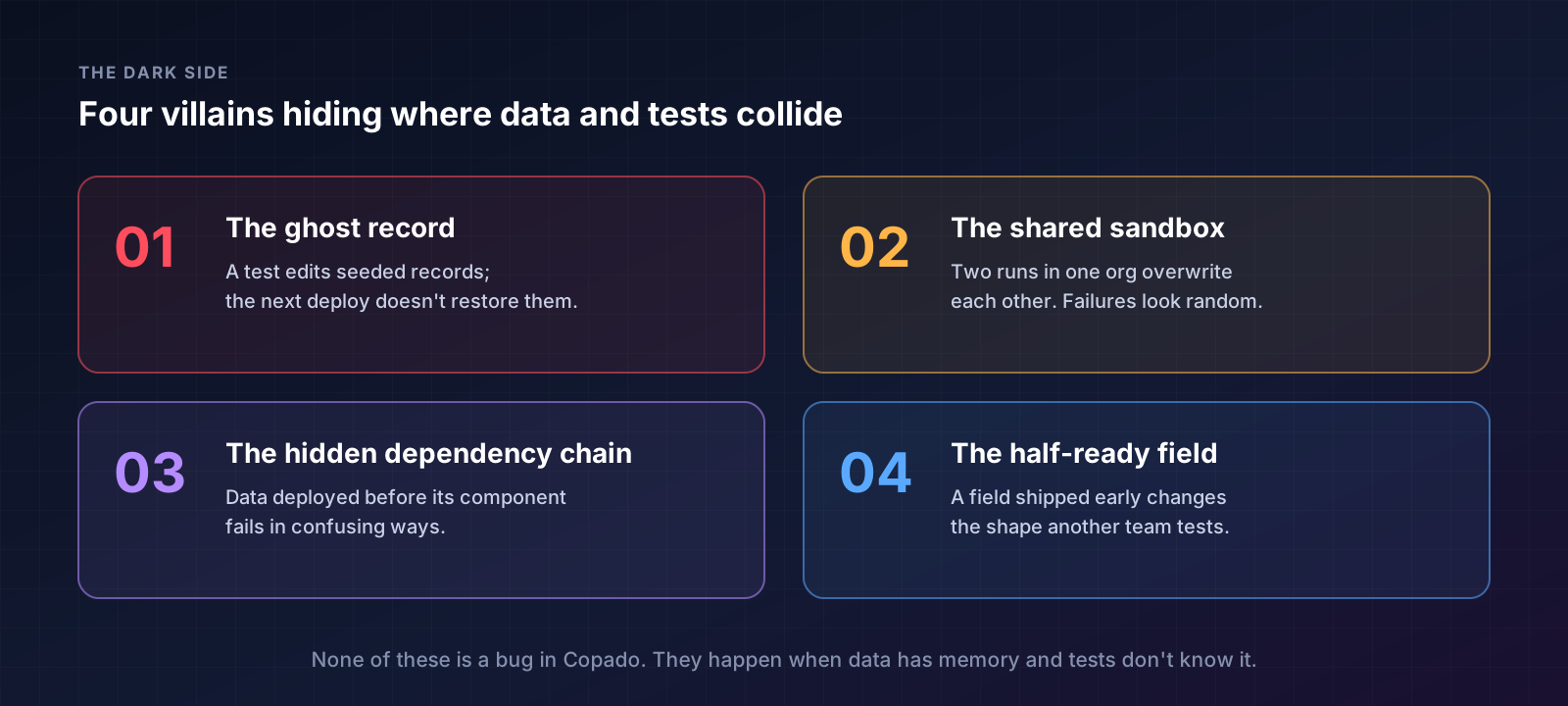
None of these is a bug in Copado. They are simply what happens when data has memory and tests do not know about it.
How Priya fixed it
She did not buy anything new. She changed the habits around the tools she already had. These are general CI/CD practices I recommend, not Copado settings.
- Make every test own its data. Create what the test needs at the start and clean it up at the end. Robot Framework, which Copado Robotic Testing runs on, supports suite setup and teardown for exactly this purpose.
- Seed fresh, not forever. Re-seed the test org from your data templates before each run, so every run starts from the same known state. Copado Data Deploy is built for sandbox seeding (Data Deploy setup guide).
- One run, one org. Give each pipeline run its own sandbox, or its own uniquely named data, so runs never collide.
- Tag your test data. Put a recognisable prefix on every record a test creates, so a cleanup job can find and remove them safely.
- Deploy in dependency order, then test. Let the Data 360 deployment finish and validate before any robotic test starts.
- Treat “flaky” as a data question first. Before rewriting a script, ask what state the org was in when it failed.
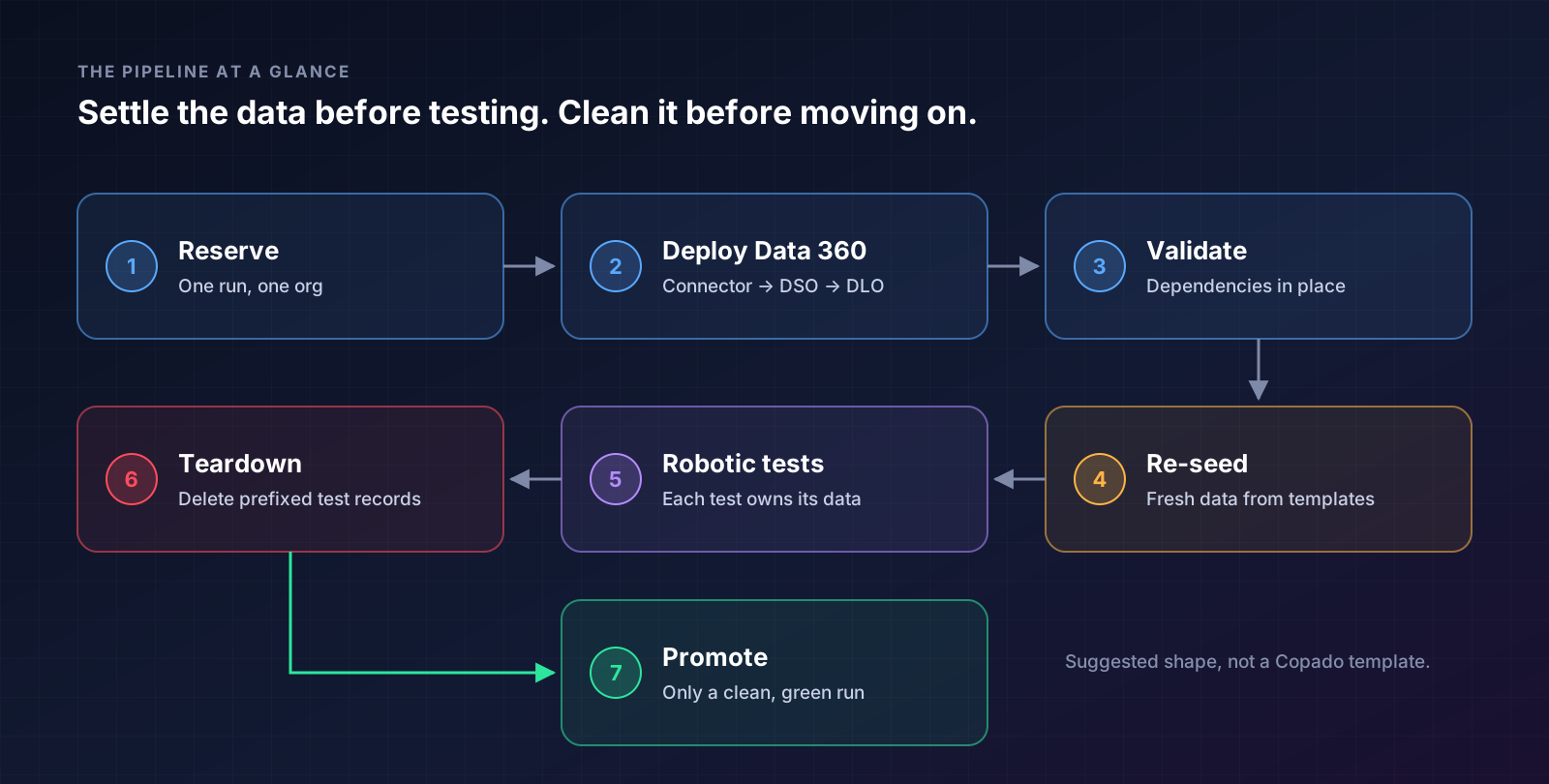
The pipeline at a glance
Read it left to right, then down: the data is settled before the tests begin, and cleaned up before anything moves on. This is my suggested shape, not a Copado template.
A checklist for your next sprint
- ☐ Does every test create and clean up its own data?
- ☐ Is the test org re-seeded before each run?
- ☐ Does each run get its own org or uniquely named data?
- ☐ Do test records carry a recognisable prefix?
- ☐ Does the Data 360 deployment finish before the first test starts?
The ending: a boring Tuesday
A few weeks later, Priya’s Tuesday morning was boring. Green pipeline, no drama, no emergency meeting. That is the whole point: good data hygiene is invisible when it works.
If you remember one thing, make it this: tests should not inherit yesterday’s mess. Seed it, use it, clean it — and let the pipeline prove it.